Some of the links in this post are affiliate links, which means I may earn a small commission if you choose to make a purchase at no extra cost to you. As an Amazon Associate, I earn from qualifying purchases. Read my full Ethics & Affiliate Relationship Disclaimer.
I waited a long time for the M4 Max to come to the Mac Studio, and when it finally did, I ordered mine day one. I have used it almost every single day for the last few months, editing a ton of video, doing some photo work, and running music production sessions. This is the computer I reach for when my output determines my income.
This is not the machine you buy to browse the web and write emails. It is overkill for that, and I will say that plainly. It is for people who need top-of-the-line performance and whose time is money. If that is you, here is my honest take after three months, including the things I wish Apple had done differently.
The fastest desktop Apple makes for the money, held back only by aggressive upgrade pricing and front ports that should have been Thunderbolt.
- Handles heavy Final Cut Pro timelines, including multiple 6K clips at once, without playback stutter
- Exports a 10-minute 4K project in about 2:40 thanks to the M4 Max dual encoders and decoders
- Runs Waves and other audio plugins smoothly alongside 4K playback, so you can apply effects up front
- Quiet and cool under sustained exports with no thermal throttling
- Strong port selection: SD reader, four Thunderbolt 5 ports, 10GbE, HDMI, and USB-A from the factory
- Upgrade pricing climbs fast, from $2,000 base to $3,200 and into M3 Ultra territory
- Base model ships with a 512GB SSD when 1TB should be the pro baseline
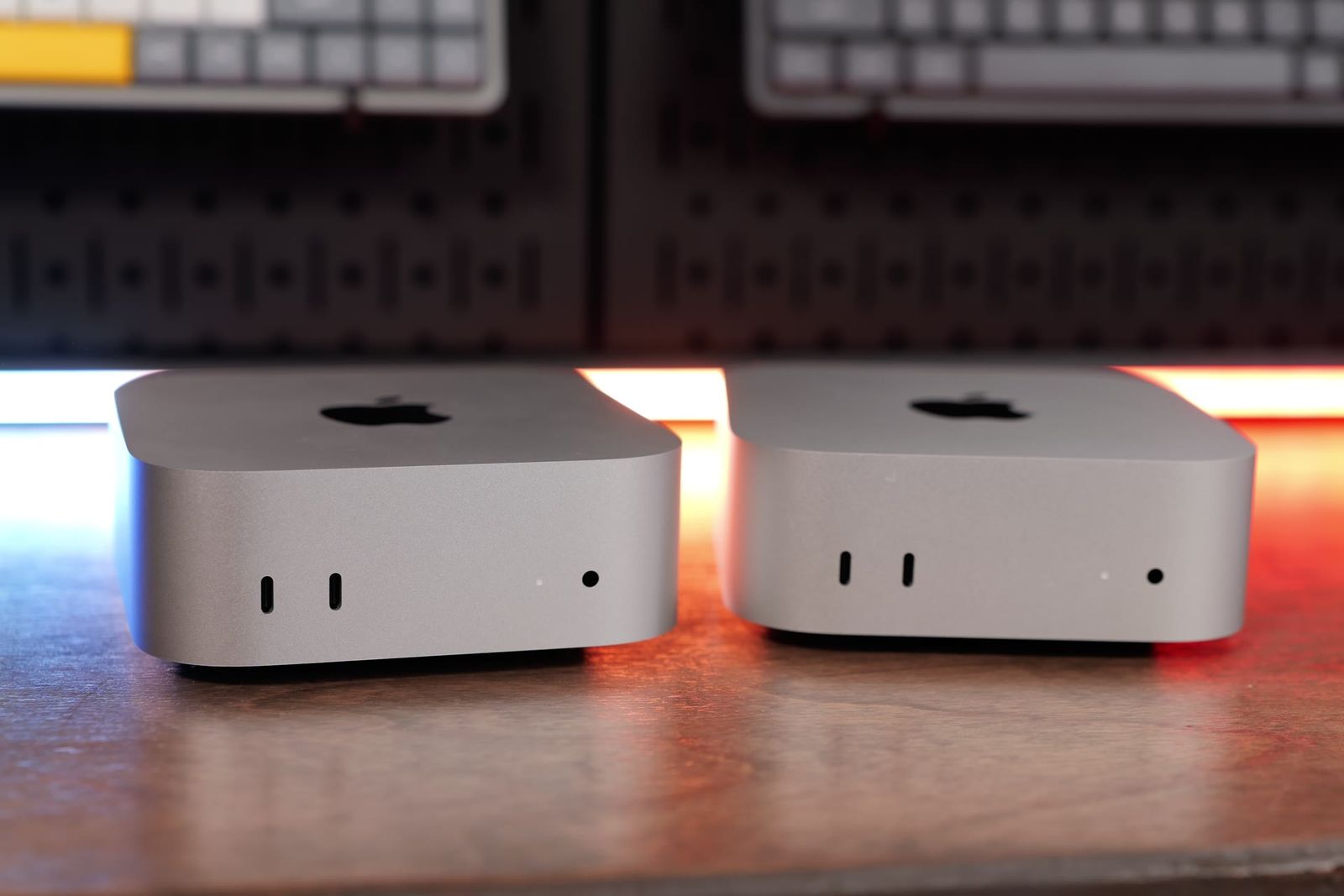
- Front ports are USB at 10Gbps, not Thunderbolt, so fast external SSDs have to live on the back
- No front headphone jack, so you reach around to the back
The exact Mac Studio I bought
I did not get the stock M4 Max Mac Studio. I upgraded, and that is where the price starts to climb, which I will come back to in the cons. Here is my configuration:
- 16-core CPU, 40-core GPU M4 Max
- 64GB of unified memory
- 2TB SSD
The base M4 Max model starts around $2,000 with 36GB of RAM and a 512GB SSD. Most people could get by with that, but it will limit you in a couple of use cases, so think about your workload before you check out.
Final Cut Pro and audio plugin performance

The first thing I noticed was that this computer handles anything I throw at it. Playback scrolling is smoother in Final Cut Pro, and even when I am running multiple 6K clips at the same time, it does not hiccup. You feel it in the little things: audio waveforms buffer instantly, and when you make a cut it rerenders the clips very quickly compared to a MacBook Pro or a Mac Mini. Features like magnetic masking and the newer AI tools also run really well.
The bigger change is in my audio workflow. The Mac Studio opens and runs Waves and other audio plugins a lot smoother than the Mac Mini or my older M1 Max MacBook Pro, which would sometimes struggle running a lot of plugins while playing back 4K clips at the same time. Now I can apply audio effects as soon as I import my project clips instead of waiting until the end of the edit, and it still plays back perfectly smooth.
Export speed: about half the time of an M4 Mac Mini

This is the reason I bought it. I sometimes have five or six projects exporting at the same time, and the Mac Studio just batches right through them. I exported a 10-minute 4K project with a couple of adjustment layers, audio plugins, and 6K-to-4K downsampling, and it finished in about 2 minutes and 40 seconds. The same export on an M4 Mac Mini or M4 MacBook Air ran closer to 5 minutes and 40 seconds.
That gap comes from the dual encoders and decoders on the M4 Max chip, which the plain M4 and M4 Pro do not have. Over a full day of editing, that difference adds up fast.
| Machine | 10-min 4K export |
|---|---|
| M4 Max Mac Studio | About 2:40 |
| M4 Mac Mini / M4 MacBook Air | About 5:40 |
All the extra ports

I love the port selection. On the front there is an SD card reader, which I use with my cameras, plus two USB ports. On the back you get four Thunderbolt 5 ports, and Thunderbolt 5 has been great to see, both for the new docks coming out and for faster Thunderbolt 5 SSDs that can be just as fast as, or even faster than, the already very quick internal Mac Studio SSD.
From the factory you also get a 10GbE Ethernet port, HDMI, a headphone jack on the back, and a couple of USB-A ports. That mix means I do not have to carry dongles or run a dock depending on my peripherals.
Thermals and size
Another reason to pick the Mac Studio over the Mini or a laptop is thermal performance. It has fans, but I honestly never hear them. They run quiet, keep the machine cool, and I have not run into any thermal throttling even during long export sessions.
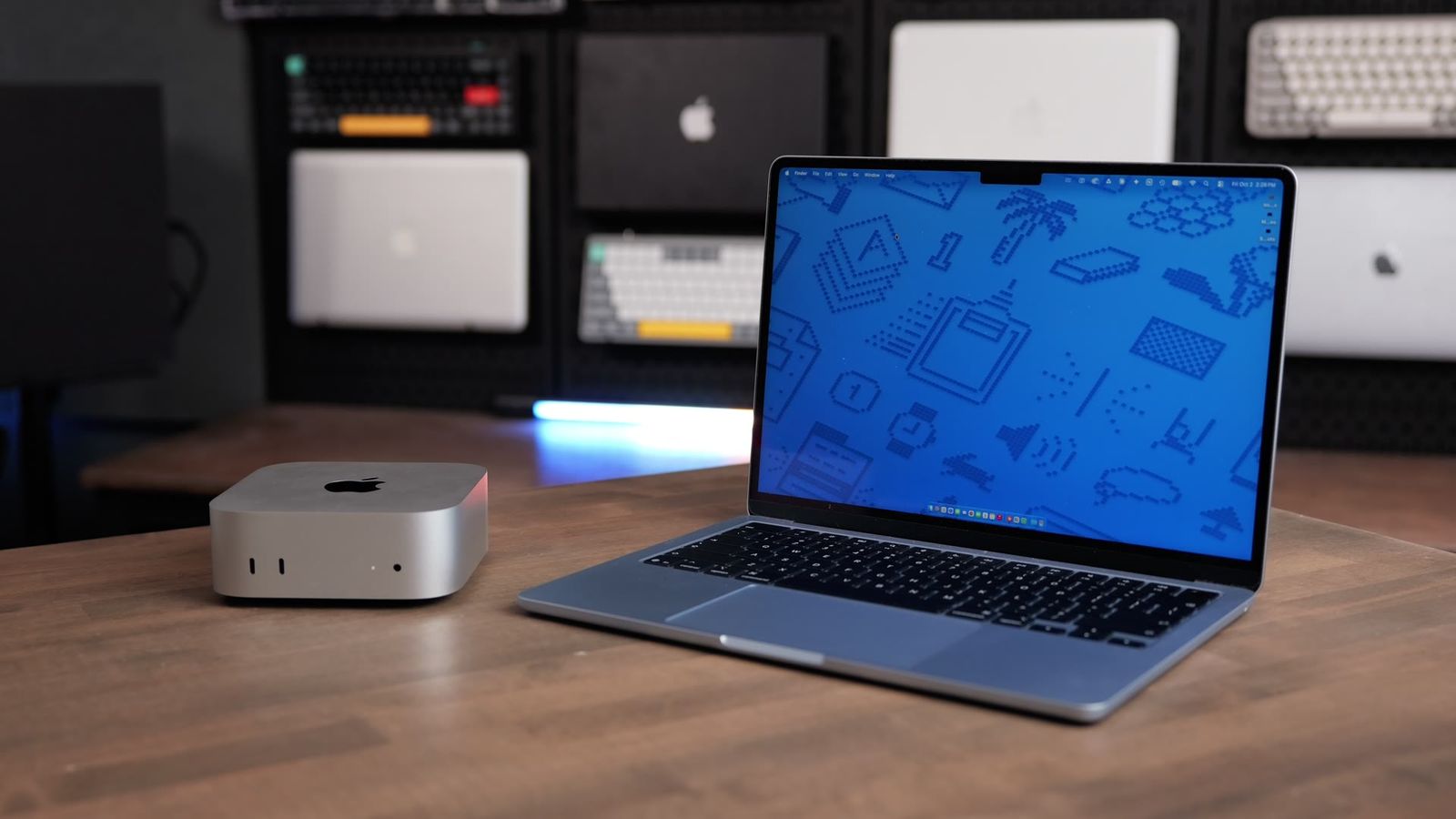
It is bigger than the Mac Mini, so if you need to travel you could realistically throw a Mini in a backpack and hook it up to a monitor somewhere else. The Studio is a little too big for that, but it fits perfectly under the Apple Studio Display and does not take up much desk space.
The downsides Apple needs to fix

The upgrade pricing is my biggest complaint. Moving from the $2,000 base to a better M4 Max chip runs $500 or $600, and it pushes the RAM to 48GB. If you are using this professionally you should also consider the 1TB SSD, since pro video files add up fast. Depending on your config you can go from $2,000 all the way to $2,700 or around $3,200, and at that point you are getting close to M3 Ultra territory. I really think the base model should ship with a 1TB SSD instead of 512GB, because that is the baseline for any serious video work.
The other real gripe is the front ports. They are USB and top out at 10Gbps, not Thunderbolt. I use a lot of Thunderbolt 4 and Thunderbolt 5 external SSDs and I want to swap them quickly on the front to take advantage of their speeds. My workaround is a longer Thunderbolt cable left plugged into the back and hanging out the front, or a Thunderbolt dock with front ports. I suspect the M4 Max architecture cannot feed the front ports at that data rate since the back ports are already using what is available, but if Apple could make the front ports Thunderbolt, this would feel like an even better buy.
Two smaller things: there is no headphone jack on the front, so you either reach around to the back, use a dock with a front jack, or add a small USB-to-audio adapter. And portability, as noted, is not this machine’s job.
Who the Mac Studio is for, and what to pair it with

The Mac Studio is overkill for most people. You should get it instead of a Mac Mini, Mac Mini M4 Pro, MacBook Air, or MacBook Pro only if you truly need top-of-the-line performance and your time is money. If your output determines your income, this machine gets out of the way and lets you move through footage, export, and review a lot faster.
For a setup, it pairs beautifully with the Apple Studio Display and some nice desktop accessories. One combo I like: for roughly the price of an M4 Max MacBook Pro, you can buy a Mac Studio and a MacBook Air. You get better power on the desktop and better portability on the go, two machines instead of one.
The verdict

The M4 Max Mac Studio is the machine I would buy again. It is amazingly efficient, very fast, and snappy, and it has genuinely made my editing and audio workflow smoother. The honest catch is the money: the base price is fair, but the upgrades climb quickly, and Apple still ships a 512GB SSD and USB front ports on a computer built for pros. If you need this level of performance and your work pays for it, the extra spend is worth it. If you are on the fence, a Mac Mini or MacBook Air will get the job done and save you a lot of cash.
If you want help picking the right configuration, I have a full options walkthrough, and you can also get personalized Mac recommendations from me directly.