B&H Photo is a paid partner of Adam Talks Tech. Some of the links in this post are affiliate links, which means I may earn a small commission if you choose to make a purchase at no extra cost to you. As an Amazon Associate and a B&H affiliate, I earn from qualifying purchases. Read my full Ethics & Affiliate Relationship Disclaimer.
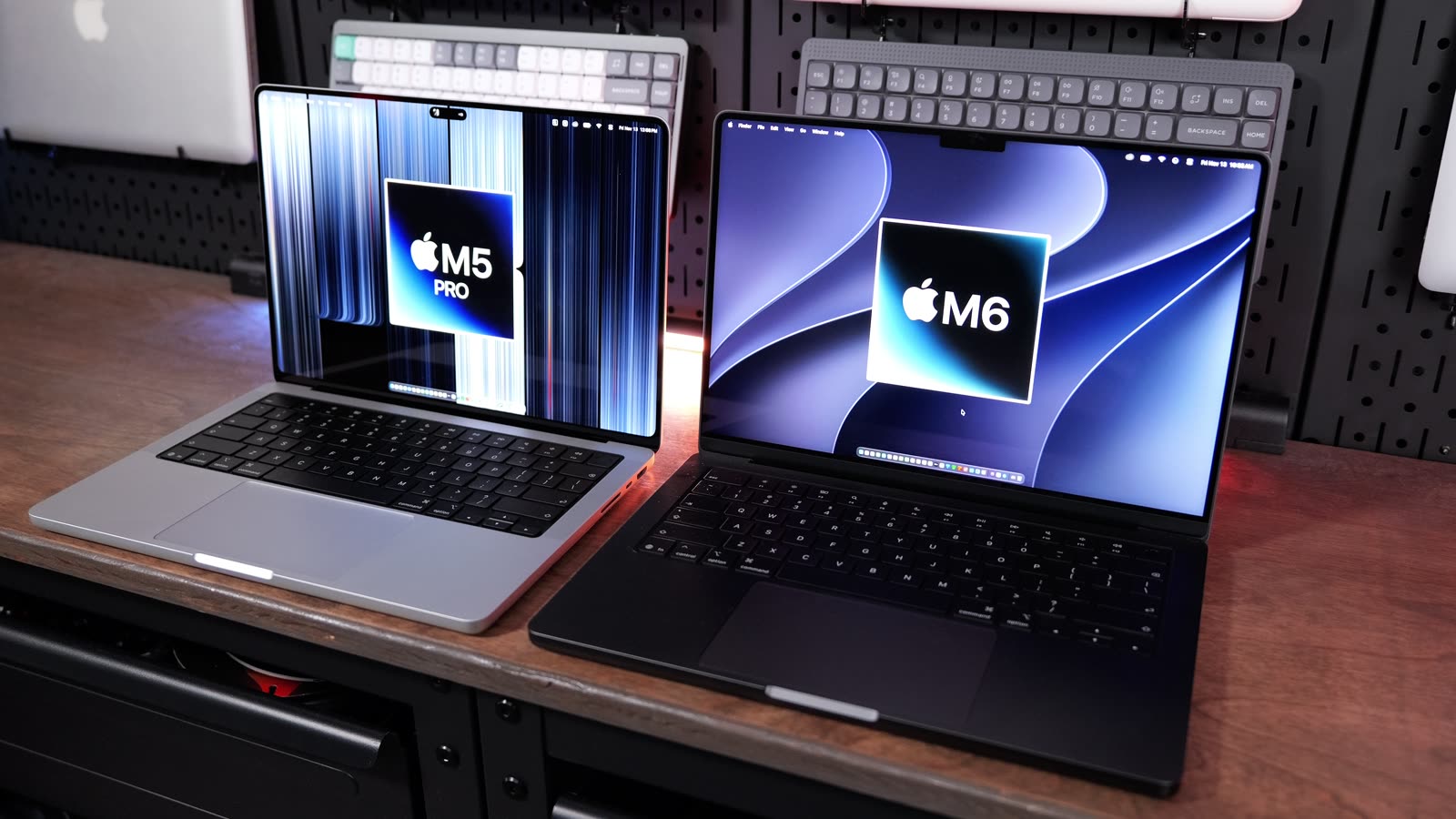
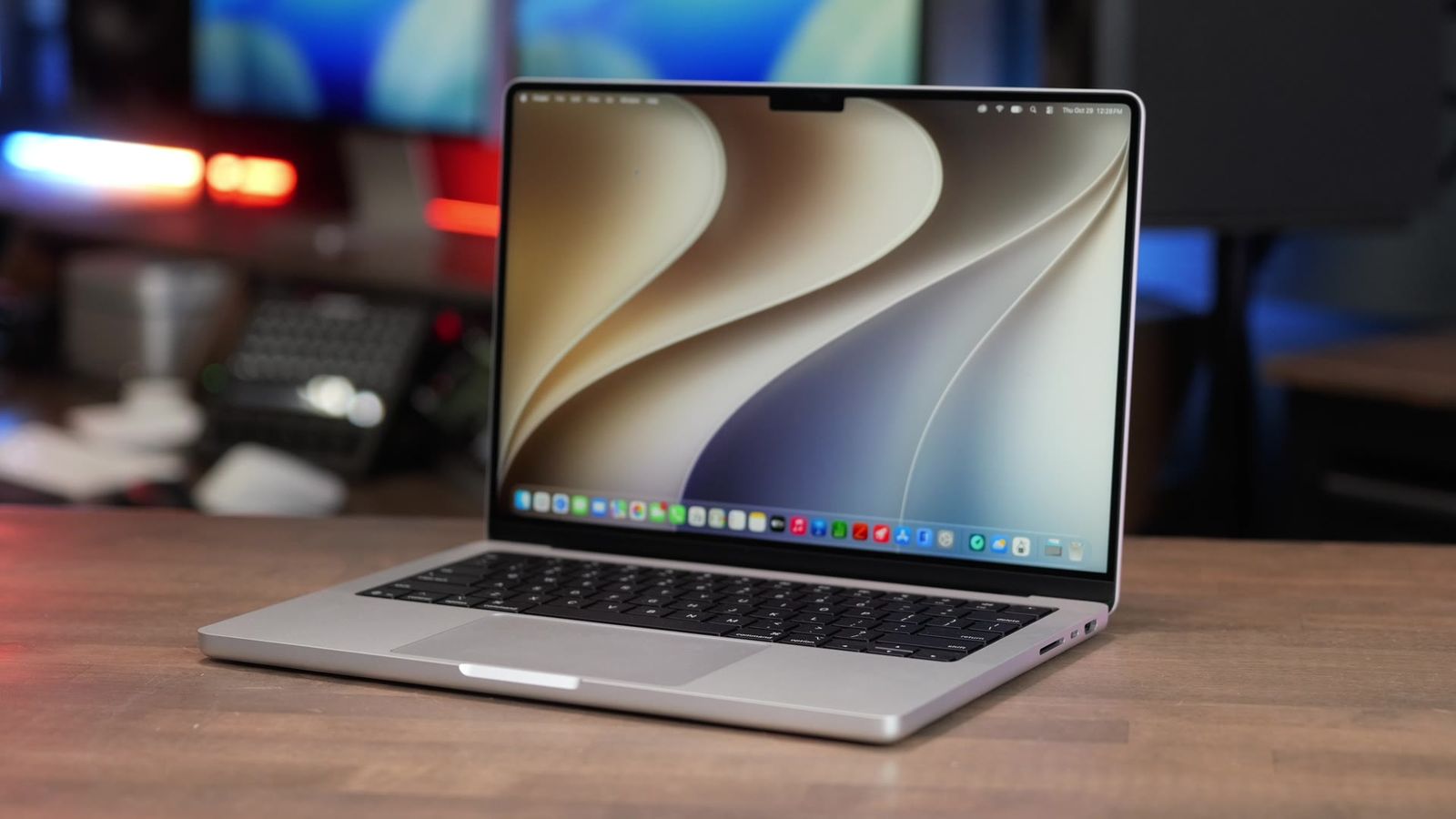
Apple has two new 14-inch MacBook Pros. There’s the M6 with the classic mini-LED screen, and there’s the PROLED with the new OLED touchscreen. From across the room they look pretty much the same, but they’re $900 apart. And the cheaper one actually has the newer chip.
So I ran both of them through all my tests: same files, same apps. Final Cut Pro, Puget Bench, Lightroom Classic, Logic Pro, Xcode, Blender, local AI, gaming and the usual benchmark apps. Big thanks to B&H for sending me the M6 to compare to my PROLED. Every chart from the video is below.

Most people should get the M6, and I’d spend the extra $200 for 24GB of RAM. The PROLED gets you the better screen, Thunderbolt 5, 24GB to start and more speed on long, heavy jobs. Most people aren’t doing that kind of work.
- $900 less ($1,999 vs $2,899)
- Faster Final Cut exports, 1:08 vs 1:18 on a 3-minute video
- AI Denoise almost twice as fast, 3:30 vs 6:03 on 50 photos
- Better battery: up to 24 hours vs 22 (Apple’s numbers)
- Tandem OLED with touch, 2,000 nits outdoors and the Dynamic Island
- Puget Bench for DaVinci Resolve 80,755 vs 58,053
- Local AI almost twice as fast, 96 vs 53 tokens per second
- Thunderbolt 5, three external displays and 24GB to start
Specs and price
The M6 is the base model. 12-core CPU, 12-core GPU, 16GB of RAM and 1TB of storage for $1,999. The PROLED has the M5 Pro with a 15-core CPU, 16-core GPU, 24GB of RAM and a 1TB SSD for $2,899.
| M6 MacBook Pro | PROLED MacBook Pro | |
|---|---|---|
| Price | $1,999 | $2,899 |
| Chip | M6 | M5 Pro |
| CPU | 12-core | 15-core |
| GPU | 12-core | 16-core |
| Memory (as tested) | 16GB | 24GB |
| Storage | 1TB | 1TB |
| Display | Mini-LED | Tandem OLED with touch |
| Thunderbolt | Thunderbolt 4 | Thunderbolt 5 |
Not sure which one fits what you do? I offer free personalized Mac buying recommendations. Tell me how you use your Mac and I’ll give you my pick.
Real-world tests
Every chart below pulls straight from my Mac test results, so the numbers here match what I show in the video.
Final Cut Pro
Magnetic Mask is the tool that cuts you out of the background, kind of like a green screen without the green screen. On an 18-second clip the M6 did it in 16 seconds and the PROLED took 24.
Next I stacked 6K clips to see how many each one could play at the same time before it couldn’t keep up. The M6 played 8 and the PROLED played 12. More clips means smoother editing on big timelines.
Then exports, which is turning a finished edit into a video file. A 3-minute 4K video took 1:08 on the M6 and 1:18 on the PROLED. A 30-minute video took 11:28 on the M6 and 12:48 on the PROLED. So the cheaper Mac wins the exports. The M6’s media engine, the part of the chip that handles video, is just faster than the M5 Pro at H.264. If you want faster exports than that, you’d need the M5 Max with its dual media engine.
| Final Cut Pro, 30-minute 4K export | M6 MacBook Pro | PROLED MacBook Pro |
|---|---|---|
| Apple Devices 4K setting (lower is better) | 11:28 | 12:48 |
Puget Bench
For DaVinci Resolve, Premiere Pro, Photoshop and After Effects I used Puget Bench from Puget Systems. It runs a bunch of real editing jobs inside the actual app and gives you one score. Higher is better.
Puget Bench for DaVinci Resolve leans a lot harder on the graphics, and that’s where the PROLED’s bigger GPU shows up: 80,755 vs 58,053. Puget Bench for Premiere Pro was 103,720 on the PROLED vs 71,419 on the M6. But if you look at just the H.264 export part of Puget Bench for Premiere Pro, the M6 did 96 frames a second and the PROLED did 71. Same story as Final Cut. The M6 is faster at exporting.
Puget Bench for Photoshop was pretty close, 15,548 on the M6 and 17,120 on the PROLED. Puget Bench for After Effects, which is for motion graphics, was 9,937 on the M6 and 11,585 on the PROLED.
| Puget Bench score (higher is better) | M6 | PROLED |
|---|---|---|
| Puget Bench for DaVinci Resolve (overall) | 58,053 | 80,755 |
| LongGOP: editing compressed camera video like H.264 and HEVC | 46.4 | 56.5 |
| Intraframe: editing pro codecs like ProRes | 67.1 | 95.3 |
| RAW: editing camera RAW video like Blackmagic RAW | 55.4 | 84.2 |
| GPU Effects: color, blur, noise reduction and other effects the graphics handle | 39.1 | 63.3 |
| Fusion: motion graphics and visual effects in Resolve’s Fusion page | 146 | 167 |
| AI: Resolve’s AI tools, like masking and upscaling | 39 | 57.8 |
| Super Scale 2x: AI upscaling to double the resolution (frames per second) | 11.99 | 17.97 |
| Puget Bench for Premiere Pro (overall) | 71,419 | 103,720 |
| LongGOP: editing compressed camera video like H.264 and HEVC | 56.9 | 75.2 |
| Intraframe: editing pro codecs like ProRes | 112 | 185 |
| RAW: editing camera RAW video | 119 | 161 |
| GPU Effects: effects the graphics handle | 34.1 | 51.7 |
| H.264 export, 50Mbps 4K (frames per second) | 96.4 | 71.4 |
| Puget Bench for Photoshop (overall) | 15,548 | 17,120 |
| General: everyday edits like opening, resizing and saving | 140 | 149 |
| Filter: heavier filters like blurs and sharpening | 173 | 197 |
| Puget Bench for After Effects (overall) | 9,937 | 11,585 |
| 2D: flat motion graphics | 178 | 233 |
| 3D: 3D layers and rendering | 45.7 | 51.7 |
| Tracking: motion tracking and stabilizing | 121 | 129 |
| Puget Bench for Lightroom Classic, Standard (overall) | 9,214 | 9,779 |
| Canon RAW photos | 104 | 115 |
| Panasonic RAW photos | 81.3 | 83.4 |
| Export 100 Panasonic photos as DNG (seconds, lower is better) | 61.06 | 91.02 |
| Puget Bench for Lightroom Classic, Extended (overall) | 9,611 | 10,085 |
| Sony RAW photos | 80.9 | 105 |
| Nikon RAW photos | 82.7 | 83.5 |
| AI tools (score) | 160 | 148 |
| AI Denoise (seconds, lower is better) | 6.47 | 10.81 |
| Super Resolution (seconds, lower is better) | 6.49 | 6.99 |
| Enhanced Details (seconds, lower is better) | 1.84 | 2.22 |
| Reflection Removal (seconds, lower is better) | 7.70 | 6.09 |
| Select Subject (seconds, lower is better) | 1.24 | 1.23 |
| Select Sky (seconds, lower is better) | 0.66 | 0.63 |
Puget Bench results from Puget Systems: pugetsystems.com/pugetbench/creators. macOS 27.2 on both. Puget Bench for DaVinci Resolve 2.1.1 (Resolve Studio 21.2), Puget Bench for Premiere Pro 2.1.0 (Premiere 27.0), Puget Bench for Photoshop 1.0.7 (Photoshop 28.0), Puget Bench for After Effects 1.2.0 (After Effects 27.0).
Lightroom Classic
I bring in 500 RAW photos and Lightroom builds the previews so you can scroll through them. That took 19.7 seconds on the M6 and 17.9 on the PROLED, so pretty close. Then I exported all 500. That took 2:07 on the M6 and 1:16 on the PROLED, a big win for the PROLED.
Smaller batches went the other way. 200 photos took 51 seconds on the M6 and 59 on the PROLED, and 50 photos took 13 seconds vs 16. I ran those right after the 500, and the PROLED was building up more heat than the M6. I tested it a couple of times and got the same result.
AI Denoise is one of the tests the M6 wins. It’s the tool that cleans up grainy photos, like ones shot in low light. One photo took 3.8 seconds on the M6 and 7.5 on the PROLED. A batch of 50 took 3:30 on the M6 and 6:03 on the PROLED, so the M6 is almost twice as fast here. That probably has to do with the M6’s dual Neural Engine, the part of the chip built for AI. Puget Bench for Lightroom Classic backed that up: the M6’s AI score was 160 and the PROLED’s was 148. Super Resolution, which makes a photo bigger without it going blurry, took 6.5 seconds on the M6 and 7 on the PROLED. Reflection Removal is the one the PROLED won, 7.7 seconds on the M6 vs 6.1.
Logic Pro
For music I use a Logic project with 512 tracks. A bounce is when Logic mixes every track down into one audio file. The M6 took 2:40 and the PROLED took 1:39. A smaller 64-track bounce took 20.9 seconds on the M6 and 13.2 on the PROLED. I also keep adding tracks until Logic can’t keep up, which tells you how big a project you can run. The M6 handled 200 and the PROLED handled 340.
Xcode
For coders, I build the same app in Xcode three times and take the average, just to see if heat has anything to do with it. The average was 126.9 seconds on the M6 and 102.4 on the PROLED.
| Xcode benchmark build | M6 MacBook Pro | PROLED MacBook Pro |
|---|---|---|
| Build time, average of 3 runs (lower is better) | 126.91 sec | 102.38 sec |
Blender
Blender renders a scene into a finished image, and it leans hard on the graphics. The Classroom scene is pretty light: 26.7 seconds on the M6 and 18.6 on the PROLED. The heavier Barbershop scene took 2:21 on the M6 and 1:51 on the PROLED. Then I rendered a 25-frame Blender animation. Every frame is its own render, so the Mac has to keep working for several minutes. The M6 took 8 minutes and the PROLED took 6:43.
| Blender 5.2 animation, GPU | M6 MacBook Pro | PROLED MacBook Pro |
|---|---|---|
| Red Autumn Forest, 25 frames (lower is better) | 8:00 | 6:43 |
Local AI
Local AI is running a model right on your Mac, not in the cloud. I measure tokens per second. A token is about a word, so it’s basically how fast it types out its answer. The M6 ran about 53 tokens a second and the PROLED ran 96. Almost double.
Gaming
I ran Cyberpunk on the High preset with MetalFX on. MetalFX is Apple’s upscaling: the game renders smaller and sharpens it back up, so it runs with more frames. The M6 hit 63 frames a second and the PROLED got 91. With MetalFX off it was 42 vs 62. Turn on frame generation, where the Mac adds in extra frames, and it’s 99 vs 142. With ray tracing on for nicer lighting, it was basically unplayable on the M6 at 31, and 40 on the PROLED.
And I gotta say, games look amazing on the PROLED. The depth and the blacks on the OLED just look awesome.
| Cyberpunk 2077, High preset (fps, higher is better) | M6 MacBook Pro | PROLED MacBook Pro |
|---|---|---|
| MetalFX on | 62.77 | 90.89 |
| MetalFX off | 41.73 | 62.34 |
| Frame generation | 99.44 | 142.14 |
| Ray tracing | 30.88 | 40.00 |
Gaming isn’t part of my Mac test charts yet, so these are in a table instead of a chart.

Benchmarks
Geekbench single core tests one core at a time, which is close to what you feel in everyday stuff. The M6 won that one, 4,055 vs 3,698. Multi core uses every core at once: 21,730 on the M6 and 30,063 on the PROLED. Metal is the graphics score, 86,917 vs 128,823.
Geekbench AI tests the Neural Engine, the AI part of the chip, and that’s where the M6 wins again: 84,451 vs 65,219. I also tested the SSDs. Both are 1TB. The M6 wrote at 6,085 megabytes a second and read at 5,632. The PROLED wrote at 10,306 and read at 10,233, so not quite twice as fast.
| Higher is better | M6 MacBook Pro | PROLED MacBook Pro |
|---|---|---|
| Geekbench AI, Neural Engine (quantized) | 84,451 | 65,219 |
| AJA System Test Lite, 16GB 4K write (MB/s) | 6,085 | 10,306 |
| AJA System Test Lite, 16GB 4K read (MB/s) | 5,632 | 10,233 |
Heat and fans
The M6 has one fan and the PROLED has two. Honestly, neither of them sounded louder than the other. I only noticed the fans when I was going crazy with benchmarks and exports.
But the M6 had a harder time when I ran tests back to back, because the heat just built up in that 14-inch body. When I ran the 30-minute export right after another one, it took 14:43 on the second try instead of 11:28. The PROLED isn’t perfect either. In Lightroom it was dropping to about half speed after a minute of exporting photos.
The display
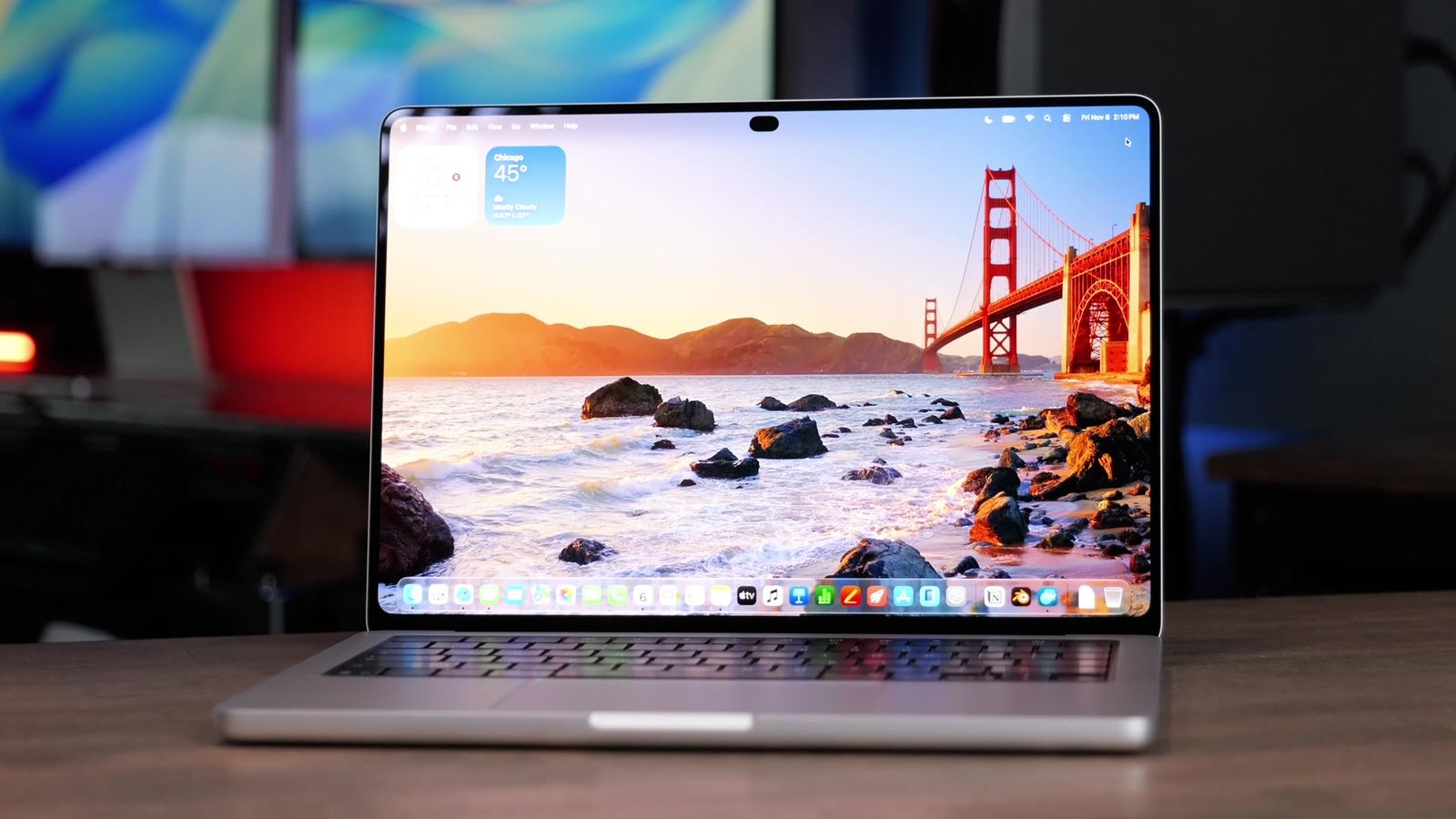
This is the biggest difference. The M6 has the same mini-LED screen as last year, and the year before that. The PROLED has the new tandem OLED. Mini-LED uses lights behind the screen in zones. OLED lights every pixel on its own, so black is just black, and you don’t get that glow around white text on a dark background.
| M6 MacBook Pro | PROLED MacBook Pro | |
|---|---|---|
| Screen | Mini-LED | Tandem OLED |
| Contrast | 1,000,000:1 | 10,000,000:1 |
| Peak HDR brightness | 1,600 nits | 2,000 nits |
| Outdoor brightness | 1,000 nits | 2,000 nits |
| Color | P3 | P3 and Adobe RGB |
Outdoors is the one you’ll definitely notice. Both cover P3 color, but the PROLED adds Adobe RGB, which is huge if you’re a photographer or you print your photos. The mini-LED is still very accurate. The OLED is just even better.
I know some people are worried about OLED burn-in. I kind of am too, but Apple says the computer tracks how much each pixel gets used. I’d still use a screensaver and not leave it on a static background.
Touch and the Dynamic Island
The PROLED is the first Mac that actually has a touchscreen. The M6 doesn’t, and you’re still stuck with the notch. On the PROLED the notch is gone and there’s a Dynamic Island, similar to an iPhone. It shows real-time stuff at the top, and you can press it for things like skipping music or starting timers. I really like it.

With touch you can scroll, pinch to zoom, double-tap a window to make it full screen and drag apps around. I used it a lot the first few days, but honestly, I haven’t touched it since. There’s no Apple Pencil support, so if you want to draw, you still need an iPad.

Where touch does make sense to me is coding. You can test how your iPhone app feels with the simulator running right on the Mac, and touch it like you’re holding the phone.
Weight and design
The PROLED weighs 3 pounds and the M6 weighs 3.4. The PROLED is also a little thinner and a little smaller all around. And Apple brought back the light-up Apple logo on the PROLED. Thank you, Apple.


Both come in space black or silver. I still prefer silver. It’s the classic Apple color, and space black shows fingerprints as soon as you get it out of the box.
Memory
The M6 comes with 16, 24 or 32GB of RAM, and I did all my tests with the base 16. One catch: the 16GB model has slower memory bandwidth, which is how fast the chip can move stuff in and out of memory. It’s 153GB per second on 16GB and 170 on the others. The PROLED starts at 24GB, and its bandwidth is 307GB per second.
I haven’t tested a 24GB M6 MacBook Pro yet, but I did test the M6 Mac mini with 16 and 24GB, and it made a huge difference. Exporting 500 photos in Lightroom went from 1:53 to 1:20. So if you get the M6, I’d spend the extra $200 for 24GB. If you run local AI or huge video projects, the M6 tops out at 32GB.
Ports and battery
The ports are the same layout: three Thunderbolt ports, HDMI, an SD card slot, MagSafe and a headphone jack. But the M6 has Thunderbolt 4 and the PROLED has Thunderbolt 5, which gives you double the bandwidth for the fastest SSDs and docks. The M6 can run two external displays and the PROLED can run three.

I didn’t get to do battery tests, but Apple says up to 24 hours on the M6 and 22 on the PROLED. Both come with the same 70W charger, and both work with 96W fast charging if you buy that charger or bring your own.
Apple also changed the speakers on the PROLED. To me they sound incredible, deeper in the bass and really clear. The M6’s speakers still sound fantastic, though. You won’t be disappointed in them.
Which one should you buy?
Get the M6 if you want a pro laptop with a great display, great battery life and still really great performance. The PROLED’s display looks nicer, of course, but the M6 has a tried and true screen that’s been popular for years. I’d get the 24GB RAM option on the M6. It’s only $200, and it’s worth it for the long haul.
There’s also a middle option. The regular mini-LED M5 Pro is $2,499 with the same chip as the PROLED and Thunderbolt 5. You just don’t get the OLED, touch or the light-up logo. That saves you $400, and in my testing it performed basically the same as the PROLED.
| Get the M6 if | Get the PROLED if |
|---|---|
| You want a pro laptop with a great display and the best battery | You edit photos or video on the go |
| $900 matters to you | You’re a developer |
| You mostly export H.264 video or use AI photo tools | You want the lightest MacBook Pro |
| You’ll spend $200 to get 24GB | You want the OLED screen |
Coming from an M1 or older? There’s honestly never been a better time to upgrade, and either of these would be awesome for you. If you already have an M4 or M5 MacBook Pro, your laptop isn’t getting any slower. You’re mostly missing out on the better display.
Buying from B&H? Their Payboo card can save you the sales tax.
The bottom line
For most people, I’d get the M6 and upgrade to 24GB of RAM. If you want the OLED screen, or you do a lot of heavy work on the go, get the PROLED. You’re not going to regret it.
Every result from every Mac I’ve tested is on my Mac test results page. And if you’re still stuck, tell me how you use your Mac and I’ll give you a personalized pick.
Still deciding? Here are my PROLED MacBook Pro first impressions, and if you’re thinking about a desktop instead, my M6 Mac mini vs M5 Pro Mac mini tests.