Some of the links in this post are affiliate links, which means I may earn a small commission if you choose to make a purchase at no extra cost to you. As an Amazon Associate and a B&H affiliate, I earn from qualifying purchases. Read my full Ethics & Affiliate Relationship Disclaimer.
I have used the M5 MacBook Air as my daily laptop for the last month, and it is basically the perfect Mac for most people. The catch is the display. Apple finally gave the base model 512GB of storage and 16GB of RAM, but you are still stuck at 60Hz with no OLED or mini LED.
So the real question is who this laptop is actually for. It sits between the cheaper MacBook Neo for casual users and the MacBook Pro with its 120Hz XDR display for power users. This review walks through the specs, the features, the real world performance, and whether you should buy the Air, save money with the Neo, or spend more on the Pro.
The right laptop for 90% of people, as long as you do not care about a high refresh rate screen.
- Fast enough for video editing, Lightroom, Xcode, and Blender
- 2.7 pounds, fanless, silent, and easy to throw in a backpack
- 512GB storage and 16GB RAM as the new baseline
- Wi-Fi 7 and Bluetooth 6 from the new N1 chip, plus a faster 5,300 MB/s SSD
- Keeps the headphone jack, MagSafe, and dual external display support
- Still a 60Hz LED display, no OLED or mini LED
- Lightroom and long video exports slow down without a fan
- AI gains fell short of Apple's claimed 4x in my tests
- Who this MacBook is for
- Portability and the form factor I keep coming back to
- Real world performance: video and 3D
- Photo editing: where the Air shows its limits
- New connectivity: Wi-Fi 7 and Bluetooth 6
- Keyboard, Touch ID, and the more minimal look
- The display trade-off: 60Hz and no OLED
- 13-inch vs 15-inch: the better deal
- Ports and dual external display support
- Webcam, microphones, and speakers
- Battery life and dynamic charging
- Pricing and the upgrade I would actually pay for
- M5 Air vs MacBook Neo vs MacBook Pro
- M5 chip deep dive: SSD and memory bandwidth
- AI performance and the neural accelerators
- Should you upgrade? By current Mac
Who this MacBook is for
The MacBook Air used to be a trade-off. You gave up performance for the price and the lightweight size. That is not the case anymore. With the M5, you can run any application just fine, from video editing to Lightroom to 3D rendering in Blender.
This is the kind of computer you can buy and keep for five to ten years, as long as you are not doing crazy intensive work every day. If most of your tasks are normal laptop tasks, this is the one I would point you to.
Portability and the form factor I keep coming back to
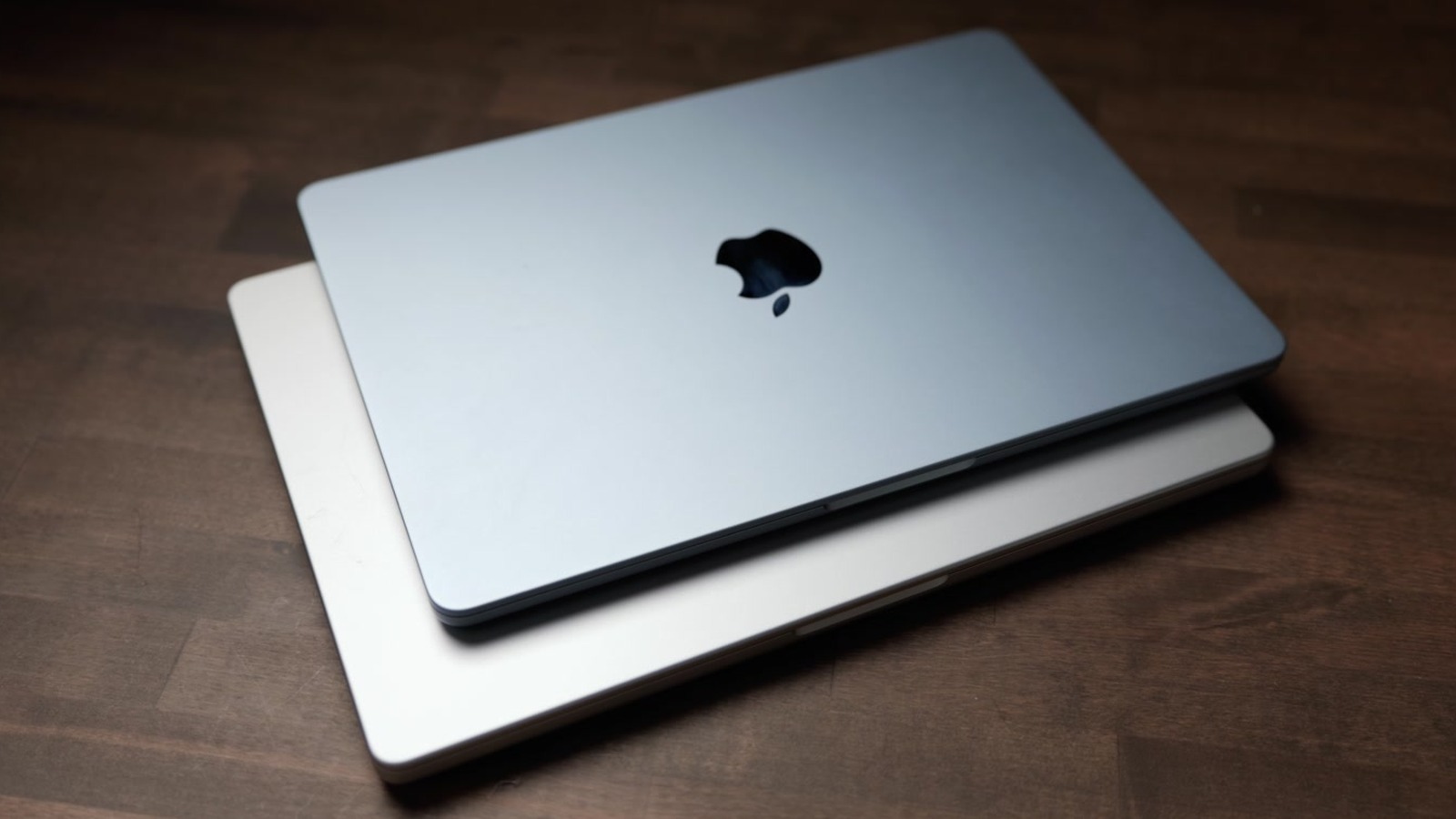
Apple has the lightweight form factor down really well. The Air weighs 2.7 pounds and is super thin when folded up, so it is very comfortable to just throw in a backpack. After getting used to it, even the MacBook Pro at only 0.7 pounds heavier started to feel heavy to carry around, which is strange but true.
It is still fanless, which keeps it slim, quiet, and light. The downside of no fan shows up on longer intensive tasks, which I get into below.
Real world performance: video and 3D
macOS runs flawlessly on this, and everything in Final Cut Pro felt snappy. Here is what I saw in my own testing:
- Exported a three minute video to social media settings in about a minute and 32 seconds, with a couple of titles and video effects added.
- No issues exporting a 30 minute video clip, which is something the MacBook Neo really struggles with.
- Ran Xcode and Blender just fine.
I have a full spreadsheet of every test I ran and how fast each one finished. It is linked from the video description.
Photo editing: where the Air shows its limits
Lightroom Classic runs fine for editing photos, adjusting exposure, white balance, and all the normal stuff. But Lightroom is significantly slower on the Air than the Pro if you are exporting tons of images.
If you are exporting 200 photos or less, it is not going to be a big deal. Past that, the lack of a fan starts to matter and the Air slows down compared to the Pro.
New connectivity: Wi-Fi 7 and Bluetooth 6

Apple added its new N1 chip, which brings Wi-Fi 7 and Bluetooth 6 to the Air. Wi-Fi 7 gives you better wireless range and speed. On the Bluetooth side, it consumes less energy when you use it. Small changes, but they add up over the life of the laptop.
Keyboard, Touch ID, and the more minimal look
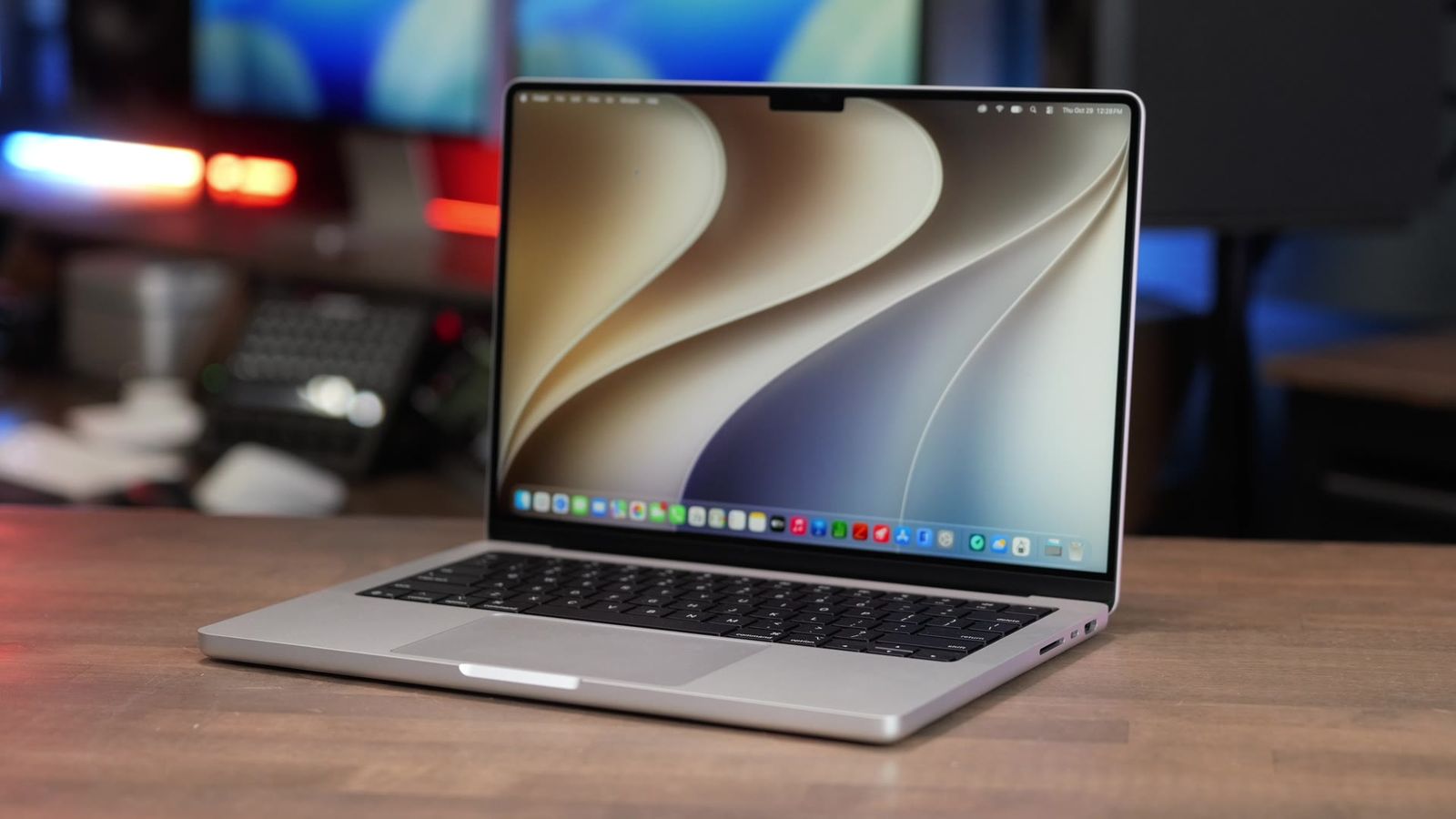
The keyboard is one of my favorite things about this laptop. It is very comfortable to type on, quiet, accurate, and it still has backlighting. You also get the Touch ID button for unlocking, accessing passwords, and paying with Apple Pay.
One funny change is that Apple removed the labels on some of the legends like caps lock, shift, enter, and delete, so the keyboard looks a bit more minimal than before. The typing experience is still excellent.
The display trade-off: 60Hz and no OLED
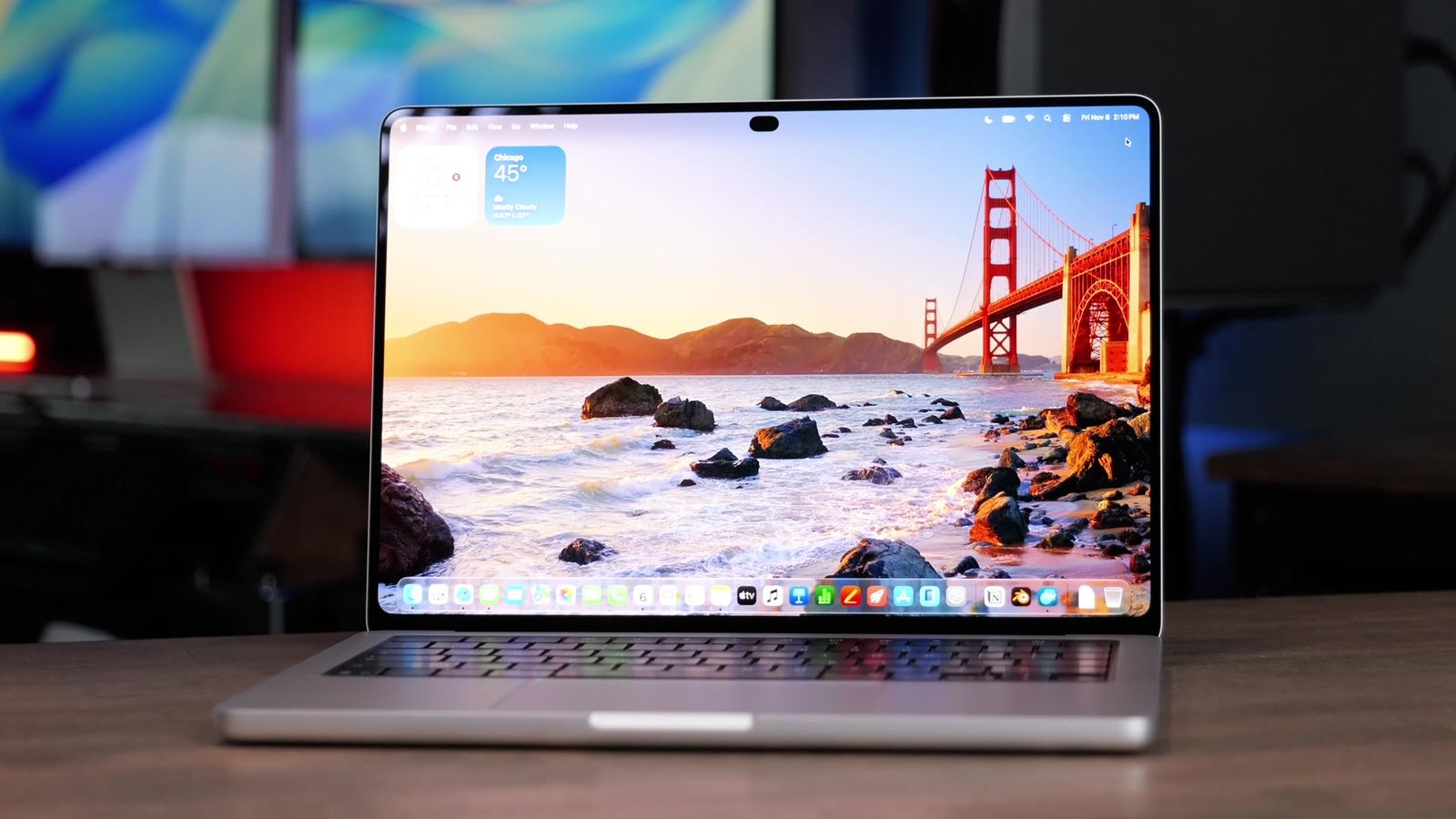
The display is the biggest trade-off with this laptop. It comes in at 500 nits of brightness, higher when you are viewing HDR content. It is a Liquid Retina display at 2560 by 1664, with True Tone and the P3 color gamut, so text and video look great and colors are accurate.
The two issues are real. It is still stuck at 60Hz, which is fine for most people, but once you have used a 120Hz ProMotion display, this feels a little slow and laggy when you move the mouse around. And it is still a standard LED panel with no OLED or mini LED. Side by side with the MacBook Pro you notice the Pro’s better color, but on its own the Air’s display still looks really nice.
13-inch vs 15-inch: the better deal

You can get the Air in 13-inch or 15-inch. I love that the 15-inch exists, because you used to have to jump to a pricey 15 or 16-inch MacBook Pro for that size.
Going from 13-inch to 15-inch is only $200 more, and it bumps your GPU from 8 cores to 10 cores for free. That is a great deal. The bigger screen did not help me much for multitasking, but for apps with a lot of menus and settings, like Final Cut Pro, the extra room is genuinely nice to have.
Ports and dual external display support
The M5 Air still has a headphone jack on the side, so thank you Apple for keeping that. You get a MagSafe port for charging, plus two Thunderbolt 4 ports that can also charge it and drive external displays or docking stations.
You can run dual external displays from the Air, which makes it a very versatile computer for a desk setup.
Webcam, microphones, and speakers
The webcam is the same as last year. It is not perfect, but it looks really great for a laptop webcam, and it has Center Stage and Desk View. There is a notch on the display and a little green dot to show where the camera is, so it is easy to make eye contact. The built-in mic does not sound too bad either. If you use it with lights, the quality looks even better than in a standard ceiling lit room.
Even though the Air is slim, the speakers still sound pretty good for watching movies or YouTube. The audio is not on the same level as the MacBook Pro, and AirPods or external speakers will sound better, but on its own it is just fine.
Battery life and dynamic charging

Apple promises up to 18 hours of battery life, a little lower than the Pro. You are not going to hit that number in the real world, but I found it has plenty of battery even for all day use.
It charges at up to 70 watts. Stock, it comes with Apple’s 40 watt dynamic charger, which can bump up to 60 watts for a bit to top the battery off faster when it is low. Apple also includes the MagSafe cable in the box, which is a standout.
Pricing and the upgrade I would actually pay for
The Air starts at $1,299 since Apple’s June 2026 price increase (it launched at $1,099). It comes in Midnight, Silver, Starlight, and Sky Blue. Midnight looks nice but picks up fingerprints fast, so Sky Blue is my favorite.
Here is how I would think about the upgrades:
- Do not buy the 10-core GPU upgrade on its own. You get the 10-core GPU for free when you go up to 24GB of RAM, which was a $200 step up from the base model at launch.
- You can go from 16GB up to 32GB of RAM, and from the 512GB SSD all the way up to 4TB, which costs a pretty penny.
- For most users, the stock configuration is just fine.
- If I picked one thing to upgrade, it would be the RAM to 24GB. Going from 512GB to 1TB of storage still would not be enough for my video projects, so I would use an external SSD anyway. You cannot add more RAM later through a USB port.
M5 Air vs MacBook Neo vs MacBook Pro
The Air lives between two other laptops, so here is how they stack up. The Neo now starts at $699, but you really want the 512GB version ($799) to get Touch ID and double the storage, which makes it about $500 cheaper than the Air. The base 14-inch MacBook Pro is now the M6 model at $1,999, about $700 more than the Air. I tested against the M5 MacBook Pro, which the M6 replaced.
Against the Neo, the Air wins clearly. You get a backlit keyboard, a better trackpad, a slightly larger display, Thunderbolt ports instead of plain USB, and 16GB of RAM instead of 8GB. The only reason to pick the Neo is if you really need to save money and most of your work is web or cloud based, or you only run one app at a time like Microsoft Office or Pages.
Against the Pro, the main benefits are the 120Hz ProMotion display, better display color, slightly nicer trackpad, speakers, and microphone, plus an extra Thunderbolt port, HDMI, and an SD card slot. The Pro also has a fan, so it does not throttle as fast on long exports and 3D renders. But it weighs more, and against the M5 MacBook Pro I tested, the extra money bought mostly subtle improvements. The M6 chip widens that gap, so see my M6 MacBook Pro breakdown before you decide.
| MacBook Neo | M5 MacBook Air | MacBook Pro (base, now M6) | |
|---|---|---|---|
| Starting price | $699 ($799 for 512GB) | $1,299 | $1,999 |
| RAM | 8GB | 16GB | 16GB |
| Display | 60Hz LED | 60Hz Liquid Retina | 120Hz ProMotion XDR |
| Ports | USB | 2x Thunderbolt 4, MagSafe | Extra Thunderbolt, HDMI, SD |
| Cooling | Fanless | Fanless | Active fan |
| Best for | Web, cloud, one app at a time | Most people | Power users who want the screen |
M5 chip deep dive: SSD and memory bandwidth

The M5 Air does not have groundbreaking new specs, but the biggest real improvement is SSD speed. The previous M4 Air was hitting about 3,300 MB/s read and write. This one hits 5,300 MB/s, which makes everything feel snappier.
Apple also raised the memory bandwidth from 120 to 153 GB/s, which is a big deal for letting the processor talk to the GPU and the RAM.
AI performance and the neural accelerators
The M5 adds neural accelerators on every GPU core, which is supposed to make AI performance about four times faster than the M4. In my own local AI testing, I did not see the full 4x. Running LLM style tasks, it was about 25% faster than the M4 in my testing.
So the gains are real but overstated for now. It is possible some software still cannot fully take advantage of the neural accelerators yet.
Should you upgrade? By current Mac
Geekbench showed the M5 was only marginally faster than the M4, and after running my M5 and M4 Airs side by side, that subtle improvement matches how the laptop actually feels. So here is my upgrade take:
- M1 or M2 Air: the M5 is a huge upgrade, go for it.
- M3 or M4 Air: I would not bother unless you are hitting real speed issues in your workflow.
- M1 Pro or M1 Max MacBook Pro: this is a great swap for a much lighter computer that handles the same tasks.
The verdict

After a month with the M5 MacBook Air, I really have no complaints. It is basically the perfect MacBook Air, as long as you do not care about the screen. For 90 to 99% of daily tasks it is more than enough, and unlike the Neo you do not feel it slowing down. The 16GB of RAM is a big reason for that.
The one honest catch is the display. If Apple ever brings the 120Hz ProMotion, OLED, or mini LED down from the Pro, there would be almost no reason to buy a Pro for most people. Until then, the 60Hz LED panel is the trade-off you accept to get this size, price, and battery life.
If you buy it, my most recommended upgrade is going from 16GB to 24GB of RAM. That makes a real difference for Adobe apps and local AI work. And if you want personalized advice on which one to buy, I am happy to help at adamtalks.tech/mac.