Some of the links in this post are affiliate links, which means I may earn a small commission if you choose to make a purchase at no extra cost to you. As an Amazon Associate, I earn from qualifying purchases. Read my full Ethics & Affiliate Relationship Disclaimer.
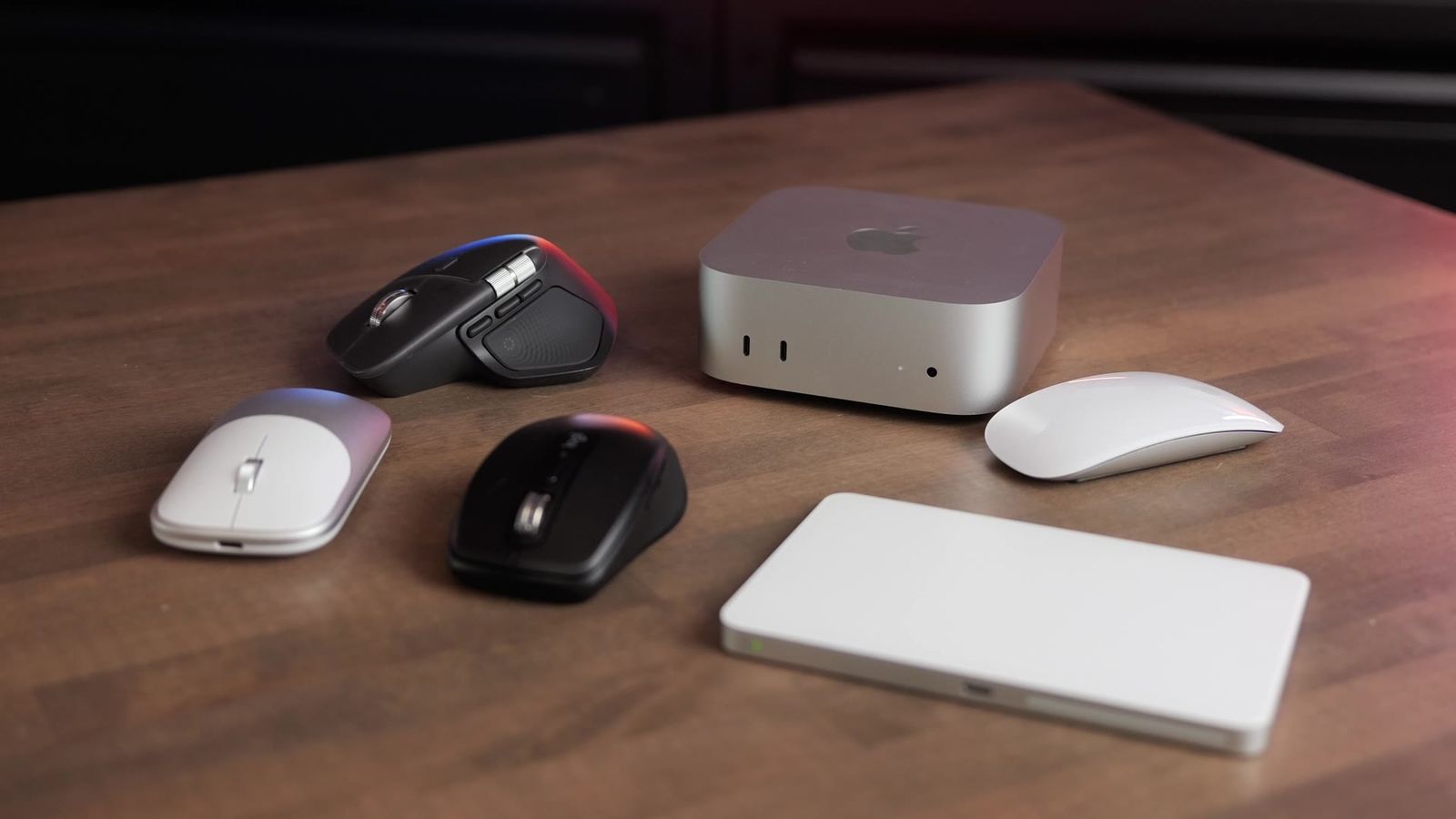
If you just got a new Mac mini, there’s no mouse in the box, and Apple won’t even let you set the computer up without one.
These are my top five picks and exactly who each one is for.

On your Mac all day and want the most comfort and buttons? Get the MX Master 4. Want comfort in a smaller mouse, get the MX Anywhere 3S. Want something simple that works with your Mac, get the Magic Mouse. Want the laptop feel, get the Magic Trackpad. On a budget, get the Satechi EX.
Check price: MX Master 4Logitech MX Master 4

This is my all-time favorite mouse. It’s Logitech’s full-size mouse, and it’s the one I use every single day. It’s designed with comfort in mind and does a great job of raising your wrist up.
The main scroll wheel on top switches between free-spinning and ratcheting with the button below it, and the clicks are super quiet. There are three customizable buttons on the side. The side scroll is incredible if you’re a video editor or work in anything with a timeline, like audio production. I remapped the Actions button to do Mac gestures like Mission Control and moving between full-screen windows. It’s so comfortable that it doesn’t give me any wrist pain, and I use it all day.
My one complaint is that the thumb button doesn’t work while you’re clicking and dragging. I’d skip it if you plan to use your mouse with other computers and take it on the road, because it’s pretty bulky to throw in a backpack.
Apple Magic Mouse

This is the mouse people love to hate, because it isn’t as ergonomic. It sits super flat, but the whole top is a smooth, touch-sensitive surface, and there’s no scroll wheel.
There are a lot of gestures. Slide one finger to scroll. Double-tap and you get Mission Control, so you see every window you have open. Swipe left or right with two fingers to jump between full-screen apps.
It’s for you if you want smooth integration with your Mac. Skip it if ergonomics matter to you, because the ergonomics are bad. And to charge it, you have to flip it over and plug it in, so you’re taking a break for a while.
Apple Magic Trackpad

Technically this isn’t a mouse. It’s a large version of the trackpad on a MacBook, and you get every gesture. If you’re used to a MacBook Air or MacBook Pro and you’re setting up your first desktop, it makes it feel exactly like that setup.
Swipe up with three fingers for Mission Control, swipe down to see every window for the app you have open, and swipe left or right with three fingers to move between full-screen apps. Those are the gestures I use every day.

It’s for you if you want that smooth, laptop-like experience. Skip it if you want repeatable button presses or the extreme precision you get with a scroll wheel.
Satechi EX Mouse

This one has no frills. It has a USB-C port on the front to keep it charged, you can pair it to multiple devices, and there’s a little USB dongle stored in the bottom so you can plug it straight into your computer without going through Bluetooth setup.
The clicks aren’t too loud, a little louder than the Logitech, and the scroll wheel works fine. It doesn’t raise your wrist much, but it’s still a bit more comfortable than the Magic Mouse. It’s for you if you want an awesome cheap mouse.
Logitech MX Anywhere 3S

The best for portability and comfort is the MX Anywhere 3S. It’s smaller than the MX Master 4 but still raises your wrist up. It has comfort grips on both sides and a couple of customizable buttons, and like the MX Master 4, you can pair it with up to three devices, so it’s great if you use more than one computer or an iPad. It’s USB rechargeable too.
Skip it if you want the extreme comfort and customization of the MX Master 4. Get it if you want something more comfortable than the Satechi or the Magic Mouse.
Which one to get

| If you want | Get |
|---|---|
| Side scroll, more buttons and the most comfort, all day long | Logitech MX Master 4 |
| Comfort without all the customization | Logitech MX Anywhere 3S |
| Something simple that works with your Mac | Apple Magic Mouse |
| The laptop-like feel | Apple Magic Trackpad |
| A great rechargeable mouse on a budget | Satechi EX Mouse |
There’s no one pick here. It depends on how you use your Mac mini. Setting up the rest of your desk? See my best Mac mini accessories, or tell me how you use your Mac and I’ll give you a personalized pick.